
Tag 分析器
TagProf 是一个根据所提供 tag 值收集测试用例分组统计数字的简单分析器。
这在结合 rspec-rails 的内置特性——infer_spec_types_from_location!——使用时很有用,可以自动添加 type 到测试用例的 meta 数据。
输出范例:
sh
[TEST PROF INFO] TagProf report for type

       type          time   total  %total   %time           avg

    request     00:04.808      42   33.87   54.70     00:00.114
 controller     00:02.855      42   33.87   32.48     00:00.067
      model     00:01.127      40   32.26   12.82     00:00.028
它展示了每一组中测试用例的总数和总耗时(只百分比和平均值)。
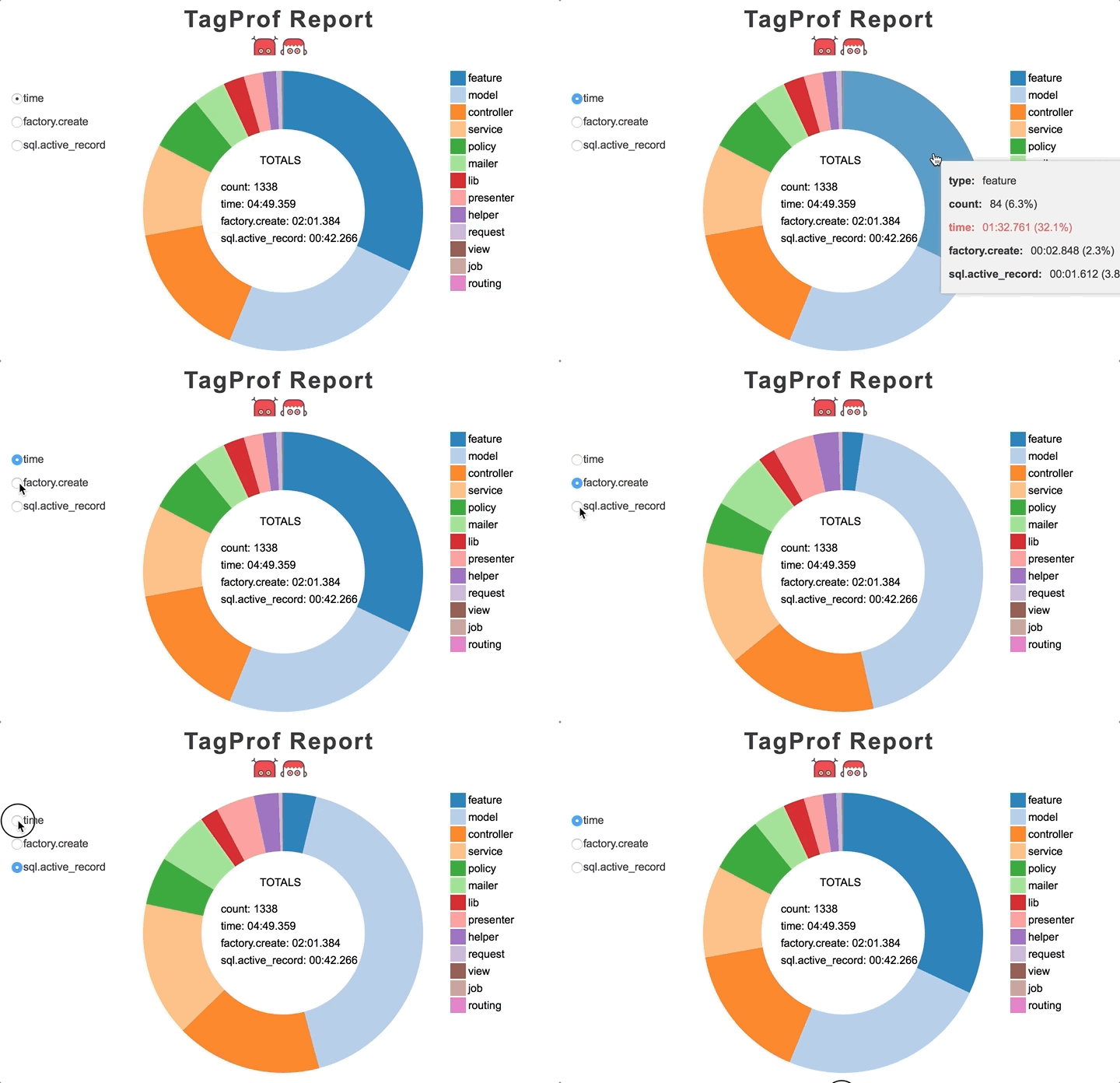
你也可以生成一个交互式 HTML 报告:
sh
TAG_PROF=type TAG_PROF_FORMAT=html bundle exec rspec报告看起来像这样:
教学
TagProf 只能跟 RSpec 一起使用。
使用 TAG_PROF 环境变量来激活 TagProf:
sh
# Group by type
TAG_PROF=type rspec
分析 events
你可以把 TagProf 与 EventProf 结合使用来不仅追踪总耗时也追踪特定活动的耗时(通过事件):
TAG_PROF=type TAG_PROF_EVENT=sql.active_record rspec输出范例:
sh
[TEST PROF INFO] TagProf report for type

       type          time   sql.active_record  total  %total   %time           avg

    request     00:04.808           00:01.402     42   33.87   54.70     00:00.114
 controller     00:02.855           00:00.921     42   33.87   32.48     00:00.067
      model     00:01.127           00:00.446     40   32.26   12.82     00:00.028
多事件也是支持的。
高级技巧:更多的类型
默认情况下,RSpec 对于默认 Rails 应用实体仅指示诸如 controllers、models、mailers 等类型。
现代 Rails 应用通常也包含了其他抽象层(比如,services,forms,presenters 等),但 RSpec 对其并不了解,也未加入任何 meta 数据。
这儿有一个变通的办法:
ruby
RSpec.configure do |config|
  # ...
  config.define_derived_metadata(file_path: %r{/spec/}) do |metadata|
    # do not overwrite type if it's already set
    next if metadata.key?(:type)

    match = metadata[:location].match(%r{/spec/([^/]+)/})
    metadata[:type] = match[1].singularize.to_sym
  end
end